
Your bot. Your persona.
How to get started.
From your first account to a shared workspace. Try getting started with sample data.


Your creators.
Your style.
One workspace.
Create your account
in five minutes
Already have access? Sign in
Give your bot
your personality.
Complete your persona questionnaire: character, language, interests and clear boundaries. The form belongs to your creator in Matrix-CRM.
Sample data to try. Changes stay in this view only.
Continue to Storyline StudioStep 3 / Choose a storyline
Prepare a story.
Keep every step
in view.
From the Media Browser to a finished bundle: the recording shows how messages, teasers, paid content and pricing come together.
One story. Shared context.Manage messages, media and their sequence together.
Separate teasers and paid content.The right media for the right step.
See the context in the chat.The assignment stays visible in the fan profile.
The original recording shows the Media Browser, bundle creation, separation of teasers and paid content, and pricing and storyline configuration.
Choose your AI.
You decide how your team and bot work together. Pause and takeover remain available in the CRM.
Preview: Human Approval selected.
Try it in the CRMChats and results.
Everything in view.
Switch between platforms and creators. Follow conversations, content and your team’s progress.
Pectus Agency / Creator WorkspaceSample conversation · today
FlirtAgent DraftYour team decidesDraft · not sent yet
Conversations and results.
One shared overview.
Revenue, net results and team activity complement your workspace.
View statistics
Original desktop recording
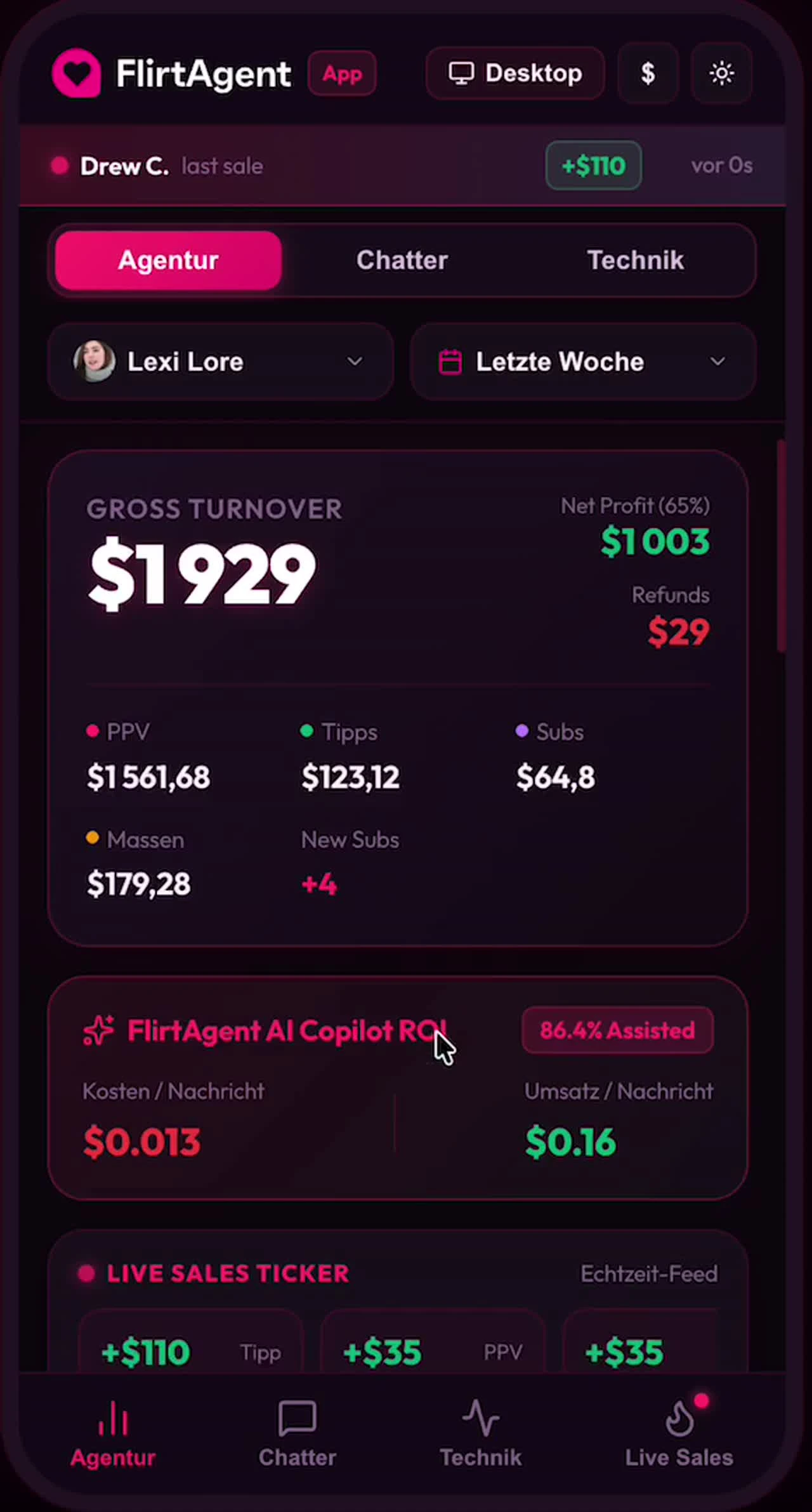
Original mobile view
CRM simulation and recorded statistics view with sample data.
Ready for
your workspace?
We guide your real onboarding with your creator, persona and content.